• Top M.B.A Colleges in India
  • Top Engineering Colleges in India
  • Top Private Medical Colleges in India
  • Top Arts Colleges in India
  • Top Design Colleges in India
  • Top Media Colleges in India
  • Engineering
  • Management
  • Medical
  • Law
  • Science
  • Arts
  • Dental
  • CAT - Common Admission Test
  • NM-LAT - NMIMS Law Aptitude Test
  • Joint Entrance Examination (Main)
  • National Eligibility cum Entrance Test
  • Xavier Aptitude Test
  • Master of Computer Applications
  • Bachelor of Computer Applications
  • Master of Business Administration
  • Master of Technology
  • Master of Arts
  • Bachelor of Arts
  • B.Tech Electronics and Communications Engineering

Let's get social

ContactPrivacy PolicyTerms & ConditionsSitemap

Copyright © 2026 Only Education. All rights reserved.

Only Education
  • Home

    Engineering – states

    Engineering Colleges in India

    • Top Engineering Colleges in India
    • Top Private Engineering Colleges in India
    • Top Government Engineering Colleges in India

    Engineering Colleges – States Wise

    • Top Engineering Colleges in Maharashtra
    • Top Engineering Colleges in Karnataka
    • Top Engineering Colleges in Uttar Pradesh
    • Top Engineering Colleges in Tamil Nadu
    • Top Engineering Colleges in Gujarat
    • Top Engineering Colleges in Telangana
    • Top Engineering Colleges in Jharkhand

    Medical – states

    Medical Colleges in India

    • Top Medical Colleges in India
    • Top Private Medical Colleges in India
    • Top Government Medical Colleges in India

    Medical Colleges – States Wise

    • Top Medical Colleges in Maharashtra
    • Top Medical Colleges in Karnataka
    • Top Medical Colleges in Uttar Pradesh
    • Top Medical Colleges in Tamil Nadu
    • Top Medical Colleges in Rajasthan
    • Top Medical Colleges in Gujarat
    • Top Medical Colleges in Andhra Pradesh
    • Top Medical Colleges in Telangana
    • Top Medical Colleges in Madhya Pradesh
    • Top Medical Colleges in Jharkhand
    • Top Medical Colleges in West Bengal
    • Top Medical Colleges in Bihar

    Dental – states

    Dental Colleges in India

    • Top Dental Colleges in India
    • Top Private Dental Colleges in India
    • Top Government Dental Colleges in India

    Dental Colleges – States Wise

    • Top Dental Colleges in Maharashtra
    • Top Dental Colleges in Karnataka
    • Top Dental Colleges in Delhi
    • Top Dental Colleges in Uttar Pradesh
    • Top Dental Colleges in Tamil Nadu
    • Top Dental Colleges in Rajasthan
    • Top Dental Colleges in Gujarat
    • Top Dental Colleges in Andhra Pradesh
    • Top Dental Colleges in Telangana
    • Top Dental Colleges in Madhya Pradesh
    • Top Dental Colleges in Jharkhand
    • Top Dental Colleges in West Bengal
    • Top Dental Colleges in Bihar
    • Top Dental Colleges in Pondicherry
    • Top Dental Colleges in Chhattisgarh

    MBA – states

    MBA Colleges in India

    • Top Management Colleges in India
    • Top Private Management Colleges in India
    • Top Government Management Colleges in India

    MBA Colleges – States Wise

    • Top MBA Colleges in Maharashtra
    • Top MBA Colleges in Karnataka
    • Top MBA Colleges in Delhi
    • Top MBA Colleges in Uttar Pradesh
    • Top MBA Colleges in Tamil Nadu
    • Top MBA Colleges in Gujarat
    • Top MBA Colleges in Telangana
    • Top MBA Colleges in Madhya Pradesh
    • Top MBA Colleges in West Bengal
    • Top MBA Colleges in Bihar

    Design – states

    Design Colleges in India

    • Top Design Colleges in India
    • Top Private Design Colleges in India
    • Top Government Design Colleges in India

    Design Colleges – States Wise

    • Top Design Colleges in Maharashtra
    • Top Design Colleges in Karnataka
    • Top Design Colleges in Delhi
    • Top Design Colleges in Uttar Pradesh
    • Top Design Colleges in Tamil Nadu
    • Top Design Colleges in Rajasthan
    • Top Design Colleges in Gujarat
    • Top Design Colleges in Andhra Pradesh
    • Top Design Colleges in Telangana
    • Top Design Colleges in Madhya Pradesh
    • Top Design Colleges in Jharkhand
    • Top Design Colleges in West Bengal
    • Top Design Colleges in Bihar
    • Top Design Colleges in Pondicherry
    • Top Design Colleges in Chhattisgarh

    Law – states

    Law Colleges in India

    • Top Law Colleges in India
    • Top Private Law Colleges in India
    • Top Government Law Colleges in India

    Law Colleges – States Wise

    • Top Law Colleges in Maharashtra
    • Top Law Colleges in Karnataka
    • Top Law Colleges in Delhi
    • Top Law Colleges in Uttar Pradesh
    • Top Law Colleges in Tamil Nadu
    • Top Law Colleges in Rajasthan
    • Top Law Colleges in Gujarat
    • Top Law Colleges in Andhra Pradesh
    • Top Law Colleges in Telangana
    • Top Law Colleges in Madhya Pradesh
    • Top Law Colleges in Jharkhand
    • Top Law Colleges in West Bengal
    • Top Law Colleges in Bihar
    • Top Law Colleges in Pondicherry
    • Top Law Colleges in Chhattisgarh

    Media – states

    Media Colleges in India

    • Top Media Colleges in India
    • Top Private Media Colleges in India
    • Top Government Media Colleges in India

    Media Colleges – States Wise

    • Top Media Colleges in Maharashtra
    • Top Media Colleges in Karnataka
    • Top Media Colleges in Delhi
    • Top Media Colleges in Uttar Pradesh
    • Top Media Colleges in Tamil Nadu
    • Top Media Colleges in Rajasthan
    • Top Media Colleges in Gujarat
    • Top Media Colleges in Andhra Pradesh
    • Top Media Colleges in Telangana
    • Top Media Colleges in Madhya Pradesh
    • Top Media Colleges in Jharkhand
    • Top Media Colleges in West Bengal
    • Top Media Colleges in Bihar
    • Top Media Colleges in Pondicherry
    • Top Media Colleges in Chhattisgarh
  • Articles
  • News
    • MBBS in Nepal
    • MBBS in Russia
    • MBBS in Georgia
    • MBBS in Kazakhstan
  • TAKE A TEST
  1. Home
  2. News
  3. NTA Advises DigiLocker Re-KYC and Class 10 Detail Matching Before Registration
Engineering

NTA Advises DigiLocker Re-KYC and Class 10 Detail Matching Before Registration
Rachna Bajaj
Rachna Bajaj

Published 26 Oct 2026·4 min read

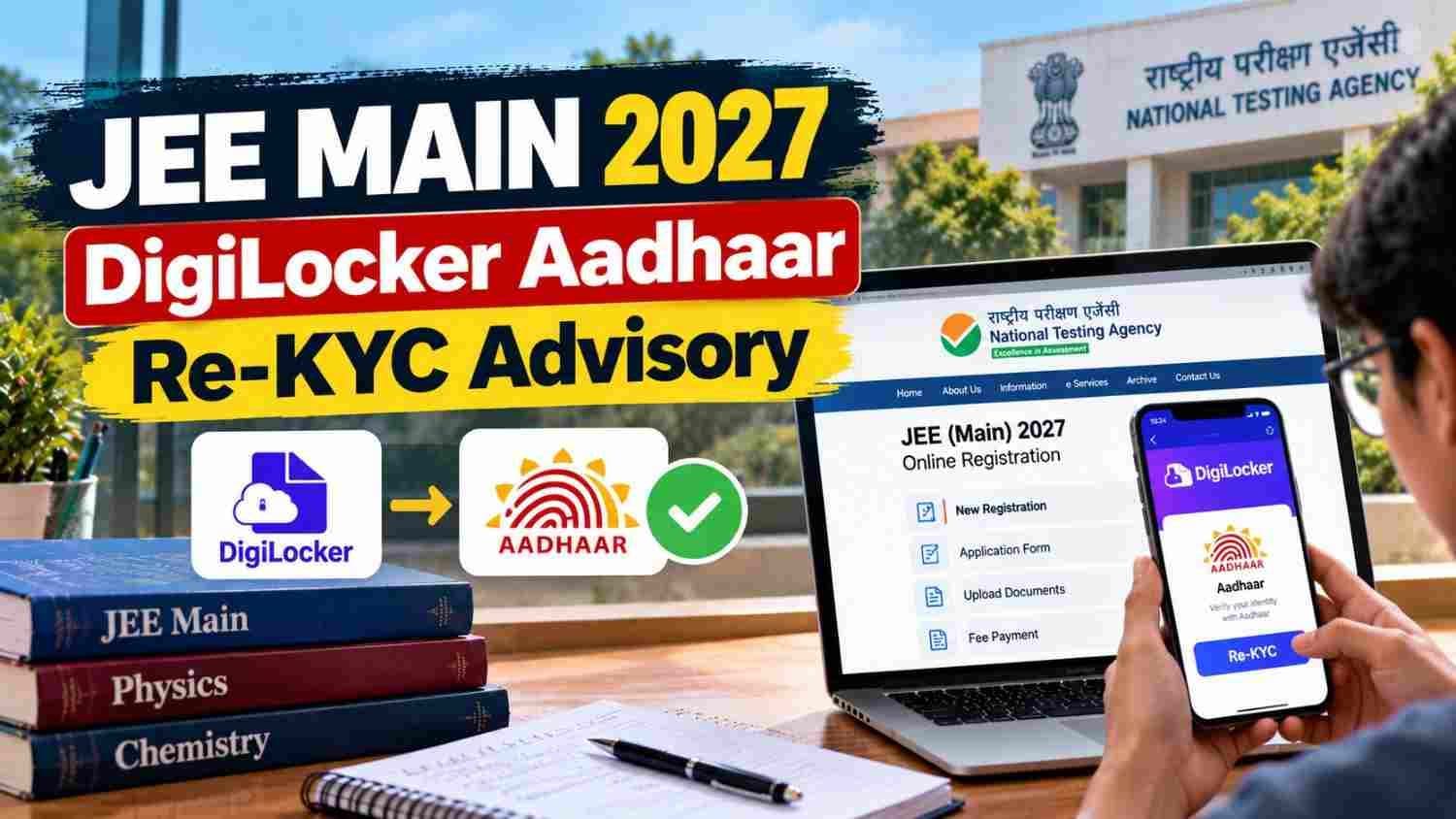
Candidate completing DigiLocker Aadhaar re-KYC for JEE Main 2027 registration
NTA has advised JEE Main 2027 candidates to complete Aadhaar re-KYC through DigiLocker before registration.
The National Testing Agency (NTA) has issued a registration advisory for JEE Main 2027 Session 1, asking candidates to complete Aadhaar re-KYC through DigiLocker, use their own digital identity credentials, and ensure their name and date of birth match their Class 10 certificate before submitting the application form.

The National Testing Agency (NTA) has issued a registration advisory for JEE Main 2027 Session 1, asking candidates to complete Aadhaar re-KYC through DigiLocker, use their own digital identity credentials, and ensure their name and date of birth match their Class 10 certificate before submitting the application form .

The advisory, dated October 28, 2026, is aimed at preventing discrepancies during identity verification and biometric authentication at later stages of the examination process. Session 1 registration remains open until November 22, 2026 .

Three Requirements NTA Has Emphasised

The public notice outlines three specific instructions for JEE Main 2027 applicants :

RequirementWhat Candidates Must Do
Use own credentialsLog in with your own DigiLocker, JanParichay, or e-Pramaan (MeriPehchaan) account. Do not use another person's login.
Complete Aadhaar re-KYCRefresh your Aadhaar details through DigiLocker before filling the form so the latest information is fetched during registration.
Match Class 10 recordsEnsure the name and date of birth entered in the application match your Class 10 certificate or marksheet exactly.

NTA states that using another person's account or submitting outdated identity details could create problems during verification and biometric checks later in the process .

How to Complete Aadhaar Re-KYC Through DigiLocker

The re-KYC process refreshes the Aadhaar copy stored in your DigiLocker account, pulling the latest details from UIDAI. This matters if your Aadhaar information has been updated since it was first saved to DigiLocker .

Step-by-step process :

  1. Sign in to the DigiLocker app or website using your registered mobile number and security PIN.
  2. Open the "Issued Documents" section.
  3. Locate your Aadhaar document in the list.
  4. Tap the three-dot menu next to the Aadhaar document and select "Refresh."
  5. Review the consent screen and allow Aadhaar authentication.
  6. Enter the OTP sent to the mobile number registered with Aadhaar.
  7. Wait for the authentication process to complete successfully.
  8. Once Aadhaar re-KYC is complete, refresh other documents in DigiLocker (such as your Class 10 marksheet) to update their status.

The exact screens and options may vary depending on your DigiLocker app version and document status.

Why This Advisory Matters

DigiLocker integration allows the NTA portal to automatically fetch verified personal details from government records, reducing manual entry errors. However, if the data stored in DigiLocker is outdated, the system may pull old information or throw an error during registration .

Candidates whose Aadhaar details (name spelling, date of birth, mobile number) have changed since their DigiLocker account was created should complete re-KYC before starting the JEE Main application.

JEE Main 2027 Session 1: Registration Timeline

Event

Date

Registration opened

October 24, 2026

Regular registration closes

November 22, 2026 (11:50 PM)

Late fee window

November 23–26, 2026 (₹500 late fee)

Correction window

November 27–29, 2026

Session 1 exam

January 2027

Source: NTA notice and third-party reports. Candidates should verify exam dates on the official portal once NTA announces the detailed schedule.

What Candidates Should Do Now

Check your DigiLocker Aadhaar details against your Class 10 certificate. If they differ, resolve the mismatch before registering.

Complete re-KYC if your Aadhaar information has changed since it was saved to DigiLocker.

Confirm you can access your own DigiLocker/JanParichay/MeriPehchaan account — do not rely on a parent's or sibling's login.

Keep your Class 10 marksheet accessible for reference during form filling.

Do not wait until November 22 — complete identity verification early to avoid last-minute issues.

Official Link

JEE Main 2027 registration portal: https://jeemain.nta.nic.in/
NTA public notice (October 28, 2026): Available on nta.ac.in

Live Updates

live
Started 26 Oct 2026, 1:31 pm ISTUpdated 29 Oct 2026, 2:54 pm IST
Showing 25 of 65 updates
  1. 29 Oct 2026, 2:54 pm ISTLatest#65

    JEE Main 2027 Registration: Required Documents

    • Photograph: Recent colour/B&W, 80% face coverage, white background, no caps/goggles, ears visible
    • Signature: Blue/black ink on white paper, clearly scanned; no capitalised block letters
    • Class 10 Certificate/Marksheet: Scanned copy
    • Disability/UDID Certificate: Scanned copy (if applicable)
    • Physical Limitation Certificate: Scanned copy (if applicable)
    • Non-Indian Passport: Scanned copy (for foreign nationals, including OCI)
  2. 29 Oct 2026, 2:53 pm IST#64

    JEE Main 2027: High-Weightage Chapters

    Physics: Modern Physics, Electrostatics, Current Electricity, Thermodynamics

    Chemistry: Chemical Bonding, GOC, Coordination Compounds, Physical Chemistry

    Mathematics: Integral & Differential Calculus, Coordinate Geometry, Matrices, Vector Algebra

  3. 29 Oct 2026, 2:49 pm IST#63

    JEE Main 2027: Aadhaar Re-KYC

    DigiLocker may store outdated Aadhaar data even if your Aadhaar is linked there. Recent changes—name spelling, address, or phone number—won't reflect until you re-sync. If DigiLocker shows old details while NTA checks current ones, errors occur. Re-KYC simply fetches a fresh Aadhaar copy from UIDAI.


  4. 29 Oct 2026, 2:48 pm IST#62

    JEE Main 2027 Session 1: Quick Revision Strategy

    Tailor your revision to your remaining time and preparation level. Focus on:

    • Formulas and short notes
    • Previous-year questions
    • Weak/missed concepts
    • Timed mock tests
    • Post-test mistake review

    Give time to all three subjects—don't get stuck on one tough chapter.

  5. 29 Oct 2026, 9:43 am IST#61

    JEE Main 2027: How Many Questions Should You Attempt?

    There is no ideal number for everyone. It depends on your accuracy, your preparation and the marking scheme. In mock tests, track the questions you attempt, get right, get wrong and leave blank, plus the time you spend on hard questions. Attempting more doesn’t always raise your score, so use the analysis to find the balance of speed and accuracy that suits you.

  6. 29 Oct 2026, 9:42 am IST#60

    JEE Main 2027: How to Manage the Three Hours

    Plan your time so you can finish without rushing:

    • Start with questions you know well.
    • Don’t spend too long on one hard problem.
    • Move on when you’re stuck, and mark it to return to.
    • Keep a few minutes at the end to review.

    Test this plan in mock exams and adjust it to your strengths.

  7. 29 Oct 2026, 9:42 am IST#59

    JEE Main 2027: How to Select Exam Cities

    Choose your exam cities carefully in the application form:

    • Check which cities the portal offers.
    • Consider travel distance and transport.
    • Enter your choices in the order the form asks for.
    • Read the official instructions on exam cities.

    A preferred city does not guarantee allotment. NTA decides the final centre based on availability.

  8. 29 Oct 2026, 9:41 am IST#58

    JEE Main 2027: Live Photo Doesn’t Match the Uploaded Image

    A mismatch between your live photo and your other photo may need attention. To reduce the chance of this:

    • Use a recent, clear photograph.
    • Capture the live photo in good lighting.
    • Remove anything covering your face, such as a mask, cap or heavy shadow.
    • Follow the portal’s on-screen instructions.
    • Contact the official helpdesk if the problem continues.

    Don’t try to bypass identity verification or submit inaccurate information.

  9. 29 Oct 2026, 9:41 am IST#57

    JEE Main 2027: Live Photograph Not Captured

    A live photograph is mandatory in the JEE Main 2027 application form, and it is separate from the photo you upload. If the live capture doesn’t work:

    • Allow camera access for your browser or app.
    • Use even, adequate lighting, and keep your face clearly inside the frame.
    • Check your internet connection.
    • Close other apps that may be using the camera.
    • If it still fails, follow NTA’s official advisory. An uploaded photo can’t replace the live photo.
  10. 29 Oct 2026, 9:40 am IST#56

    JEE Main 2027: Photograph Upload Problems

    A wrongly formatted photograph can stop you from completing registration. To fix it:

    • Check the prescribed file format and size.
    • Use a clear image in which your face is visible.
    • Match the dimensions given on the portal.
    • Don’t keep re-uploading the same file after an error. Fix the problem first.
    • Read the official instructions before trying again.
    • Don’t edit the image in ways NTA prohibits.
  11. 29 Oct 2026, 9:39 am IST#55

    JEE Main 2027 Registration: Use the Official Website

    Apply for JEE Main 2027 only through the official NTA website, jeemain.nta.nic.in. Before you start, keep these ready:

    • A valid mobile number and email ID
    • Identity and academic details
    • Your photograph and signature in the prescribed format
    • A payment method for the application fee

    Check every detail before submitting, then download the confirmation page.

  12. 29 Oct 2026, 9:38 am IST#54

    Common Mistakes to Avoid in the JEE Main 2027 Form

    • Name mismatch: enter your name exactly as on your documents.
    • Wrong contact details: use a valid mobile number and email ID, since updates and OTPs go there.
    • Wrong file format or size: follow the format and size limits for each upload.
    • Wrong category or PwD details: check these before submitting, as they affect fee and reservation.
    • Unchecked fee payment: confirm the payment status before closing the form.
    • Waiting for the last date: apply early to avoid portal slowdowns.
    • Not saving the confirmation page: download and save it.
  13. 28 Oct 2026, 7:33 pm IST#53

    JEE Main 2027 Registration: What Happens After Form Submission?

    Candidates who have successfully submitted the JEE Main 2027 application should retain their application details and monitor the official website for subsequent announcements.

    After submission, candidates should:

    1. Save the confirmation page.
    2. Keep the application number and login credentials secure.
    3. Check official notices about corrections, city information, and admit cards.
    4. Review any communication from the examination authority.
    5. Continue preparing according to the announced examination schedule.
  14. 28 Oct 2026, 7:32 pm IST#52

    JEE Main 2027 Registration Status: How to Check If Your Form Is Complete

    Candidates should verify the status of their JEE Main 2027 application after completing the registration and payment process. A generated application number alone may not establish that every required stage is complete.

    1. Log in through the official examination portal.
    2. Check the application status.
    3. Verify that the fee payment is recorded.
    4. Look for the confirmation page.
    5. Retain a copy of the submitted application.
  15. 28 Oct 2026, 7:31 pm IST#51

    JEE Main 2027 Registration: Five Mistakes Candidates Should Avoid

    Candidates filling out the JEE Main 2027 application form should avoid common errors that may delay submission or create problems later.

    • Do not enter inaccurate personal or academic details.
    • Do not upload a photograph or signature that fails the prescribed specifications.
    • Do not ignore OTP verification or payment errors.
    • Do not assume that every application field can be corrected later.
    • Do not wait until the deadline to begin registration.
  16. 28 Oct 2026, 3:27 pm IST#50

    JEE Main 2027 Registration Ends November 22: Final Checklist for Candidates

    The last date to apply for JEE Main 2027 Session 1 without a late fee is November 22, 2026, up to 11:50 PM. Candidates should complete these steps before then: 

    • Register as a new candidate and save the application number and password.
    • Fill in the personal, academic, and contact details accurately. The form fetches the name, date of birth, photo, and address directly from Aadhaar.
    • Upload the live photograph and keep the required documents ready, including the signature and Class 10 marksheet. 
    • Select the exam paper and city preferences.
    • Pay the application fee by credit card, debit card, net banking, or UPI before the deadline.
    • Check the application status and download the confirmation page.

    The late window runs from November 23 to 26 with an additional fee of ₹500, but candidates should not wait for it. These dates come from the NTA notice as reported by third-party sites, so check jeemain.nta.nic.in for the final schedule.

  17. 28 Oct 2026, 3:25 pm IST#49

    JEE Main 2027 Session 1 Registration Last Date: November 22

    Registration for JEE Main 2027 Session 1 closes on November 22, 2026, at 11:50 PM. Candidates who miss it can apply from November 23 to 26, 2026, by paying an additional late fee of ₹500. 

    EventDate
    Official notification and brochureOctober 24, 2026
    Online registration startsOctober 24, 2026
    Application deadlineNovember 22, 2026
    Submission of form with late feeNovember 23 to 26, 2026
    Application correction windowNovember 27 to 29, 2026
  18. 28 Oct 2026, 3:24 pm IST#48

    JEE Main 2027 Session 1 Registration Ends November 22: Apply Before the Late Fee

    The last date to apply for JEE Main 2027 Session 1 without a late fee is November 22, 2026. Key dates:

    • Registration began on October 24, 2026. 
    • The last date to submit the form without a late fee is November 22, 2026, up to 11:50 PM. 
    • The application fee must also be paid by November 22, 2026, up to 11:50 PM.
    • The late application window is November 23 to 26, 2026, with an additional fee of ₹500.
    • The application correction window is November 27 to 29, 2026. 
    • The Session 1 exam will be held on January 20, 21, 22, 23, 24, and 28, 2027.
  19. 28 Oct 2026, 3:21 pm IST#47

    JEE Main 2027 Payment Done but Confirmation Page Not Generated? What to Do

    • Log in to jeemain.nta.nic.in with your application number and password.
    • Check whether the application status shows the payment as successful.
    • Look for the option to download the confirmation page, and save the payment receipt and transaction ID.
    • Confirmation may not show immediately because of gateway or server delays, and it usually updates within 24 to 48 hours. 
    • In 2026, candidates whose confirmation page wasn’t generated after payment were asked to contact the helpline or email of the concerned bank or payment gateway. jeecounselling
    • If the problem continues, contact the NTA helpdesk with the application number, transaction ID, and payment proof.

    These steps are based on the 2026 bulletin and candidate guides, and the 24 to 48 hour window is not an official figure. Check the 2027 bulletin on jeemain.nta.nic.in for the gateway contacts and help procedure.

  20. 28 Oct 2026, 3:20 pm IST#46

    JEE Main 2027 Form: How to Enter Correct Address Details

    • The 2027 application form fetches the name, date of birth, photo, and address directly from Aadhaar, so check that these details are correct. 
    • Check the house number, locality, district, state, and PIN code.
    • Review the present and permanent address fields separately.
    • Make sure the contact information is accurate.
    • Do not enter incomplete or guessed details just to move to the next section.
    • The exam cities shown on the portal depend on the address entered in the form, so a wrong address can affect city selection. 
    • Permanent and present addresses can’t be changed in the correction window, so get them right the first time.

      The no-correction rule for addresses comes from the 2026 correction window. Check the 2027 notice on jeemain.nta.nic.in for any changes.
  21. 28 Oct 2026, 3:14 pm IST#45

    JEE Main 2027 Exam City: Can It Be Changed After Submission?

    • Candidates can change their exam city only during the official correction window, and not freely at any time.
    • The Session 1 correction window is expected in December 2026, and the exam city and language medium are among the details that can be changed.
    • City changes are allowed based on the candidate’s permanent and present addresses. 
    • NTA is not bound to follow the choices given by the candidate, so the allotted city can still differ. 
    • Changing the city to one outside India may need an additional fee.
    • Review every selected city before submitting the form.
    • Check the city intimation slip and admit card for the final centre details.
  22. 28 Oct 2026, 3:13 pm IST#44

    JEE Main 2027 Exam City Selection: Tips to Choose Your Preferences

    • Candidates choose exam cities in order of preference while filling in the application form.
    • The portal shows only nearby cities that match the address entered in the form. 
    • NTA allots one centre out of the four choices given by the candidate. 
    • Prefer cities that are easy to reach, and put the most practical choice first.
    • Review the selection before submitting the form.
    • A first choice is not guaranteed. Centres are allotted based on the preferences filled in and the availability of seats.
    • NTA can merge cities with few candidates, so the final city may differ from the choices listed.
    • Check the city intimation slip when it is released, and use the admit card for the final centre details.
  23. 28 Oct 2026, 3:13 pm IST#43

    EE Main 2027 Document Too Large? How to Reduce File Size Before Uploading

    • A file that exceeds the portal’s size limit may fail to upload during JEE Main 2027 registration.
    • Check the size limit shown in the official instructions.
    • Compress or resize the file with a trusted tool.
    • Make sure the text stays readable.
    • Save the file in an accepted format.
    • Open the new file to check it before uploading.
  24. 28 Oct 2026, 3:12 pm IST#42

    JEE Main 2027 Signature Upload Failed?

    • Check the file requirements first if the signature upload fails during JEE Main 2027 registration.
    • Format: JPG/JPEG.
    • File size: 10 KB to 100 KB. 
    • Dimensions: 3.5 cm × 1.5 cm. 
    • The scan should be clear, not cropped or blurred.
    • Follow the background and appearance instructions on the portal.
    • Confirm that the upload succeeded before moving on.
  25. 28 Oct 2026, 3:11 pm IST#41

    JEE Main 2027 Uploaded Photo Rejected? Check These Specifications

    If the portal rejects the uploaded photograph, candidates should first check the file format, size and dimensions. NTA’s guidelines call for a JPG/JPEG file with a size of 3.5 × 4.5 cm. The photograph should be clear, with the face visible, and not blurry, cropped or heavily edited. The uploaded photo and the live photo are separate steps. In 2026, candidates captured a live photo and then also uploaded a scanned recent passport-size photograph, so check the requirements for both. After replacing a rejected file, confirm that the upload went through before moving on.

Latest News

Design aspirant working on project with CEED 2027 registration deadline reminder
CEED 2027 Registration Closes October 31 at 11:59 PM: Check Fee, Late Window and Eligibility29 Oct 2026
Candidate completing CLAT UG 2027 application before October 31 deadline
CLAT UG 2027 Applications Close October 31 at 11:59 PM: Check Non-Editable Fields and Exam Details29 Oct 2026
IIT Madras campus with application deadline reminder for PhD and MS January 2027 admissions
IIT Madras PhD, MS January 2027 Applications Close October 30 at 5 PM: Fee, Eligibility and Selection Details29 Oct 2026
Candidate checking FMGE 2026 admit card before entering exam centre
FMGE October 2026 Exam on October 31: Reporting Time, Admit Card and Exam Day Guidelines29 Oct 2026
IGMC&RI Puducherry MD/MS fee structure 2026–27 with ₹1.85 lakh total college fee
IGMC&RI Puducherry MD/MS Fee 2026–27: Total College Fees ₹1.85 Lakh, Hostel Rent ₹4,000/Month29 Oct 2026
View all news